ZeroCut Checkout · Shopify toolkit
NO MORE PAYING FOR TOOLS LIKE GOKWIK FOR CHECKOUT
Your checkout. Your code. ₹999 once.
Own four ready-to-customise checkout layouts for Indian stores, with no ZeroCut subscription or per-order fee. Take UPI and cards through your Razorpay account, offer cash on delivery, and keep your branding through payment.
₹999one-time kit purchase
No ZeroCut fee per order
Gateway processing, Shopify, SMS and hosting costs still apply. Setup and maintenance are yours.
Secure payment via Razorpay. Download the kit after payment verification.
01 / PAY ONCE
A fixed kit price.
₹999 for the toolkit. No ongoing ZeroCut subscription.
02 / MAKE IT YOURS
Four starting points.
Choose a flow, set your brand, and tailor the experience.
03 / KEEP CONTROL
Code you can change.
Own the customisation. Plan for your own setup and upkeep.
01 / INTERACTIVE DEMOS
Four ways to take an order
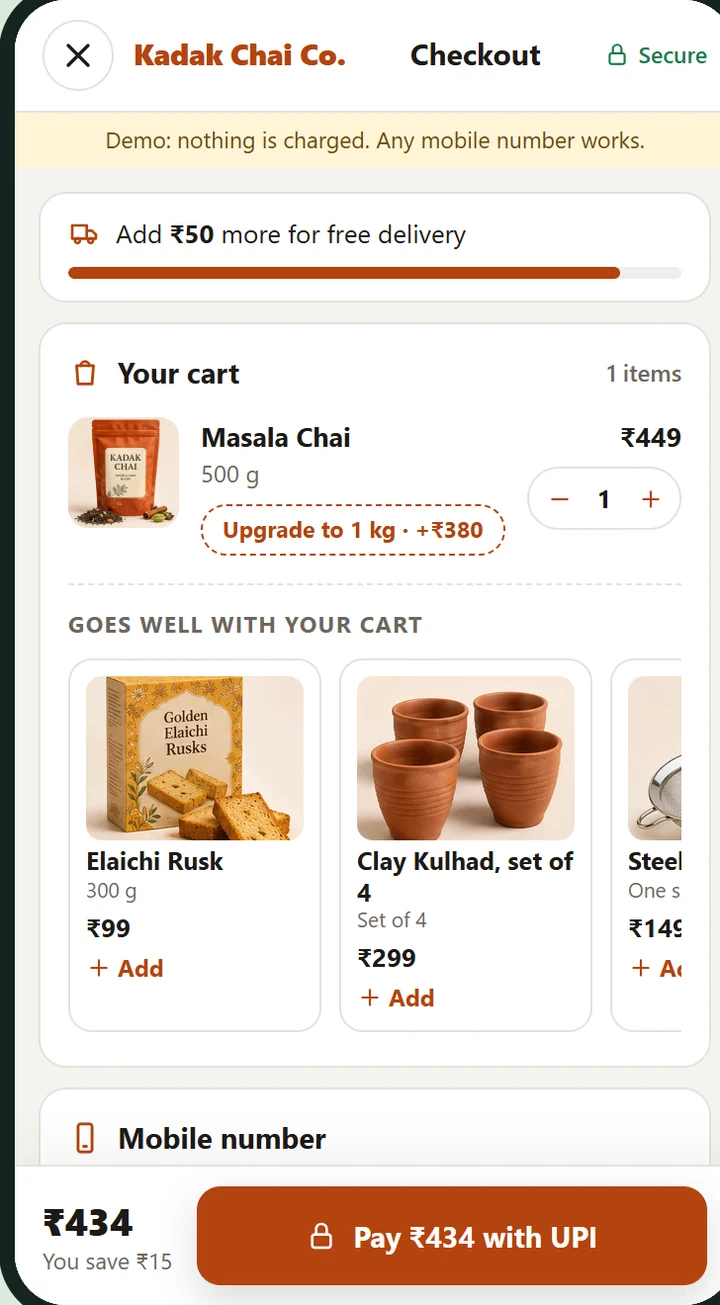
Pick a layout to try it with a sample store. Every demo starts with an empty cart. Product photography is AI-generated for these fictional stores; packaging is illustrative.
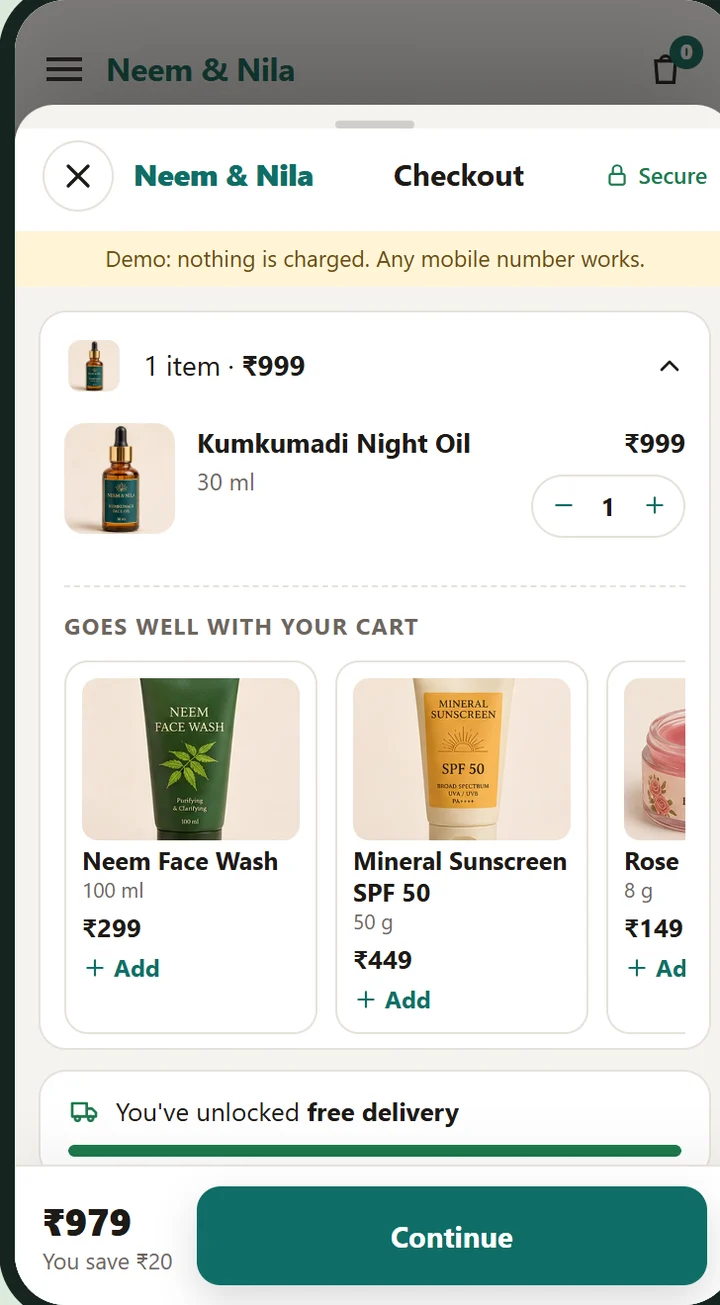
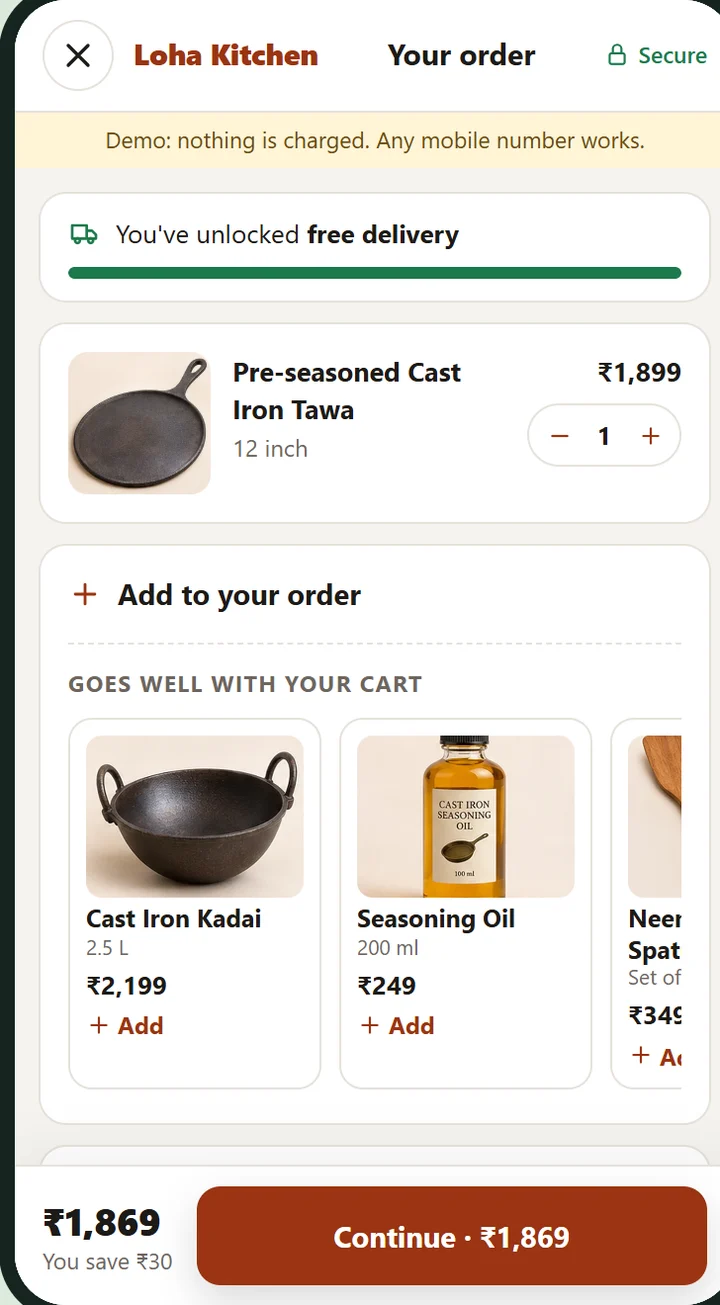
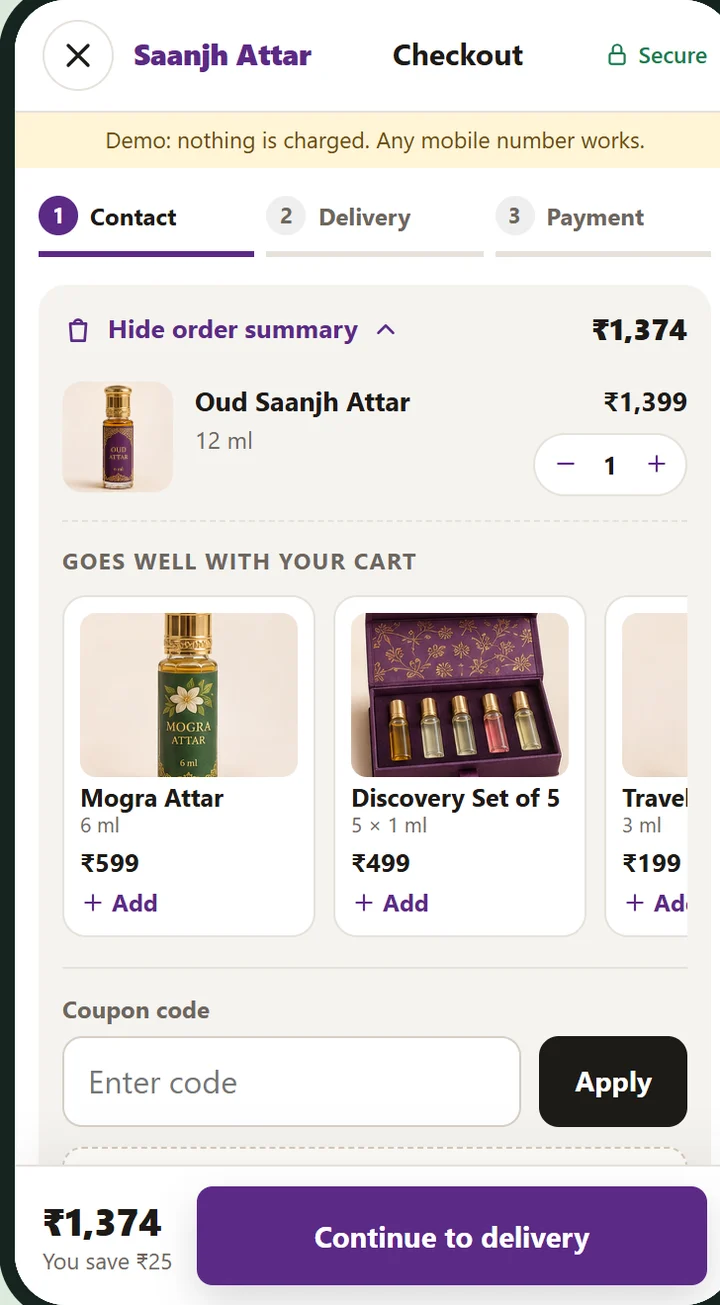
Try it like a shopper
Simulated payments- Tap Buy now to add a sample product and open checkout.
- Enter a sample 10-digit mobile number and tap Get OTP. The demo fills the code for you.
- Use pincode 560001 to see city and state fill automatically. Try an add-on or switch payment methods to see the total update.
02 / SAVINGS ESTIMATE
What could you save on app fees?
Move the sliders to your numbers. Check your checkout app's last invoice for its real fee.
Estimated first-year savings
| Checkout app | ZeroCut Checkout | |
|---|---|---|
| Checkout software fee | ₹0 | |
| Software cost in year one | ₹999 once | |
| Looks like | Branding options vary by provider | Your brand, start to finish |
| Test changes | Customisation depends on your plan | Anything; you own the code |
The 2% starting value is an example, not a GoKwik or other provider quote. The estimate uses the fee you enter and subtracts the ₹999 kit price. It excludes gateway, Shopify, hosting and SMS costs. Some checkout apps bundle services such as saved-address networks and RTO risk scoring.
03 / WHAT’S INCLUDED
Everything in the kit
- 4 checkouts: One Page, Quick Sheet, Review and Buy, Classic Form. Plain JavaScript and CSS, no framework, about 60 KB.
- Payment server: Node functions that price the cart on the server, create the Razorpay order, verify the signature and webhook, and create the order in Shopify.
- Shopify snippet: opens your checkout from the cart and buy buttons, reads the live cart, and keeps quantities in sync.
- Setup guide: Shopify custom app, Razorpay keys, OTP provider, test mode, going live, and a checklist before you switch.
- Customise skill for Claude Code and Codex: tell it your brand, rules and changes, and it edits the kit and walks you through setup in test mode.
- The four demo stores, so you can see each layout working before you touch your store.
₹999one time · no ZeroCut subscription or per-order fee
Buy ZeroCut Checkout
Verified payment. Secure ZIP download.
Digital product · Refund policy
04 / STORE SETUP
What you’ll need to go live
A Shopify store, a Razorpay account, an SMS provider for OTPs, and a host for the Node payment functions. Other storefronts require adapting the order integration.
- Pick a layout and brand it. Set your logo, colour, delivery fees, COD rules and coupons in one config file, or ask the skill to do it.
- Deploy the small server. Add your Razorpay keys and a Shopify custom app token as environment variables.
- Add the snippet to your theme. Your cart and buy-now buttons open your checkout. Shopify's own checkout stays as a fallback.
- Test in Razorpay test mode. Place UPI, card and COD test orders and check they reach Shopify.
- Switch on live keys. Run it next to your current checkout first if you want to compare.
Tools for a smoother checkout
Fewer taps to pay
The OTP fills itself, the pincode fills city and state, and a pincode entered on the product page carries over. The pay button sits in one place with the total on it.
Add-ons where people add
"Pairs well with" on the product page, one-tap add-ons in the cart, a bigger-pack upgrade on each cart line, and an add-on offer right after payment.
A free delivery meter
"Add ₹120 more for free delivery," with a bar that fills as the cart grows. Coupons that aren't unlocked yet say exactly how much more it takes.
Push prepaid, control COD
A UPI discount, a COD fee, a COD limit per order, and COD switched off for the pincodes you can't collect cash in.
Your brand to "Paid"
Your logo, colour, font and voice from product page to order confirmed. One line of config per brand setting.
Tracking you control
Purchase events fire from your own code, with the real order value, so your Meta and Google ads keep learning from real sales.
Questions
Do I need Shopify Plus?
No. Your checkout runs before Shopify's and creates the paid order through the Shopify Admin API with a custom app, which works on every plan. Shopify's own checkout stays available as a fallback.
Does it work outside Shopify?
Yes. The checkouts are plain JavaScript and take any cart. The server includes Shopify order creation; for WooCommerce or a custom store you swap that one function for your platform's orders API. The skill can do that swap with you.
Does it work with Razorpay, UPI and COD?
Yes. Prepaid orders go through Razorpay Standard Checkout in your own account (UPI, cards, net banking, wallets). Cash on delivery skips the gateway and creates a pending order, with your COD fee, limit and blocked pincodes applied on the server.
Are prices safe from tampering?
Yes. The browser only sends product IDs and quantities. The server looks up prices from your store, applies the same rules, and creates the Razorpay order for that amount. Orders are only created after the payment signature is verified.
Is the OTP real?
The demo fakes it. The kit has the OTP flow and server endpoints; you connect an SMS provider of your choice, which charges per message. On Android Chrome the code can fill itself from the SMS.
Will I lose saved addresses from my checkout app?
Addresses saved inside another app's network stay with that app. Shoppers type their address once with you; the pincode fills city and state to make that quick.
What about conversion tracking?
The checkout calls your code when an order completes, with the order number and value, so you fire your Meta Pixel, Conversions API or GA4 purchase event yourself. The guide shows where.
Is anything charged in the demo?
No. The demo stores are made up and the payment step is simulated.
How do I get the kit?
After verified payment, download your ZIP on the confirmation page. Unzip it and start with kit/README.md. For purchase and delivery questions, message us on WhatsApp or email ornalens@gmail.com.
OWN THE EXPERIENCE
Pay for the kit.
Keep control of checkout.
Four layouts. Your branding. No recurring ZeroCut fee.
Try the live demo Buy now · ₹999